Marvelous AiLegend-Invisible Cloak Magic
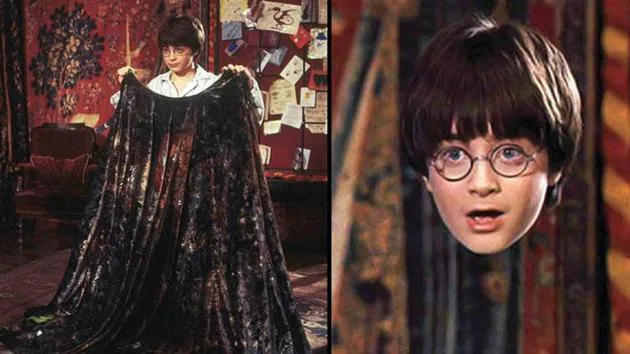
Let's do some kind of Magic in our Planet .....
Seems like a daydreamer for many of us right...Like visiting to Hogwarts and acquire a knowledge of magical spells just like a Harry Potter & his friends woah! I always imagined to be invisible for a moment then I found something in which scientists and researchers are still researching ...And see what they invented, and this device said to be Invisible Cloak methodology.
What is the perspective to design ?
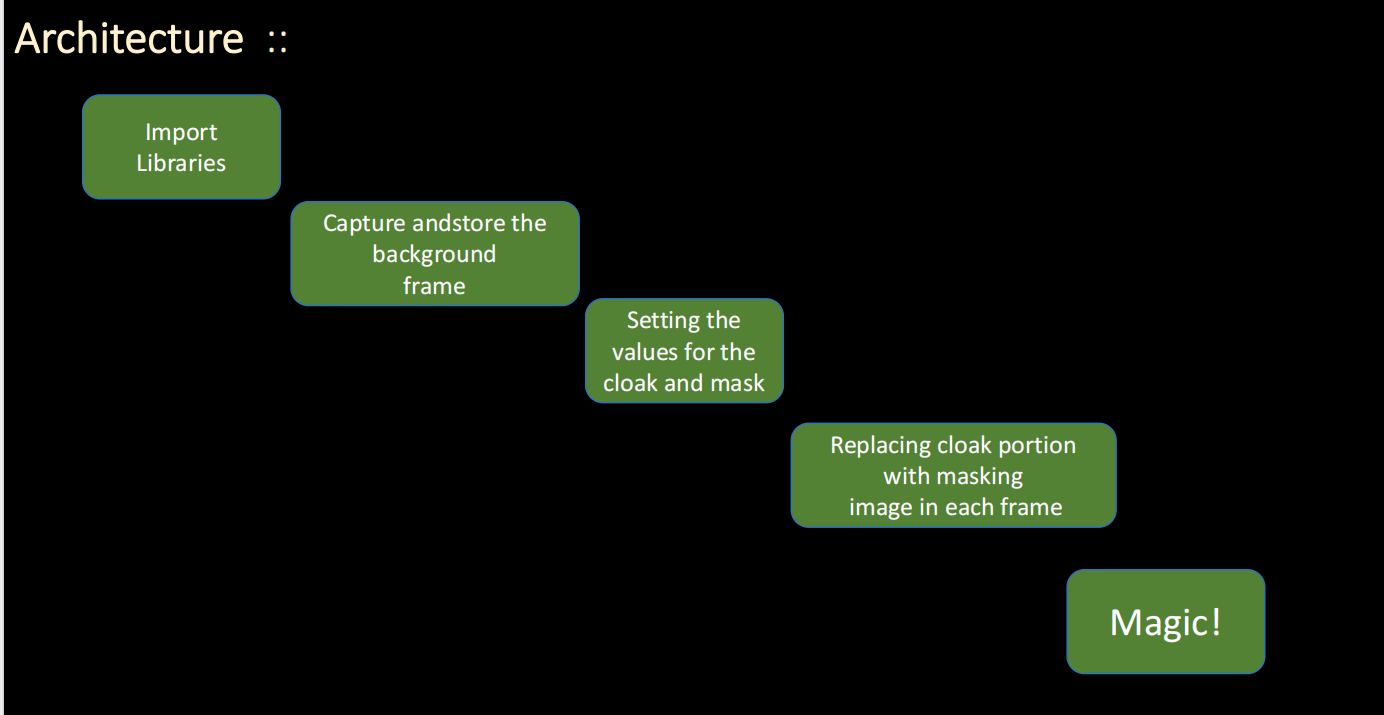
Fig. Architecture of Invisible cloak
The Cloak be a magic & invisible inside Harry Potter movie. As we all knew there is no magic at all
right, possibly its a science trick. Now... What is the concept behind this magic?
Complete Python Code - Ready to Run!
import cv2
import numpy as np

# Step 1: Initialize webcam
cap = cv2.VideoCapture(0)

while True:
    # Step 2: Capture frame
    ret, frame = cap.read()
    if not ret: break

    # Step 3: Convert to HSV color space (Better for color detection)
    hsv = cv2.cvtColor(frame, cv2.COLOR_BGR2HSV)

    # Step 4: Define red color range for invisible cloak
    lower_red1 = np.array([0, 120, 70])
    upper_red1 = np.array([10, 255, 255])
    lower_red2 = np.array([170, 120, 70])
    upper_red2 = np.array([180, 255, 255])

    # Step 5: Create masks for red color
    mask1 = cv2.inRange(hsv, lower_red1, upper_red1)
    mask2 = cv2.inRange(hsv, lower_red2, upper_red2)
    red_mask = mask1 + mask2

    # Step 6: Load and resize background image
    background = cv2.imread('background.jpg')
    background = cv2.resize(background, (frame.shape[1], frame.shape[0]))

    # Step 7: Clean up mask (Remove noise)
    final_mask = cv2.morphologyEx(red_mask, cv2.MORPH_OPEN, np.ones((3,3), np.uint8))
    final_mask = cv2.morphologyEx(final_mask, cv2.MORPH_DILATE, np.ones((3,3), np.uint8))

    # Step 8: Create foreground and background parts
    mask_inv = cv2.bitwise_not(final_mask)
    fg = cv2.bitwise_and(frame, frame, mask=mask_inv)
    bg = cv2.bitwise_and(background, background, mask=final_mask)

    # Step 9: Combine foreground + background = Magic!
    final_output = cv2.add(fg, bg)

    # Step 10: Display result
    cv2.imshow('Invisible Cloak Magic - Marvelous AiLegend', final_output)
    cv2.imshow('Red Detection Mask', red_mask)

    if cv2.waitKey(1) & 0xFF == ord('q'): break

cap.release()
cv2.destroyAllWindows()Now let's start understanding how it's working practically
🔴 Basic requirements:
We need to choose a highly saturated color cloth and I'll choose red color because it's my favourite although you can choose any from your wardrobe to make yourself invisible folk i.e.red, green or blue (rgb), because these are highly saturated color. Now if we selected red then ensure that our background does not contain any red colour. Because if the background contains that colour, then it will cause problems alright.
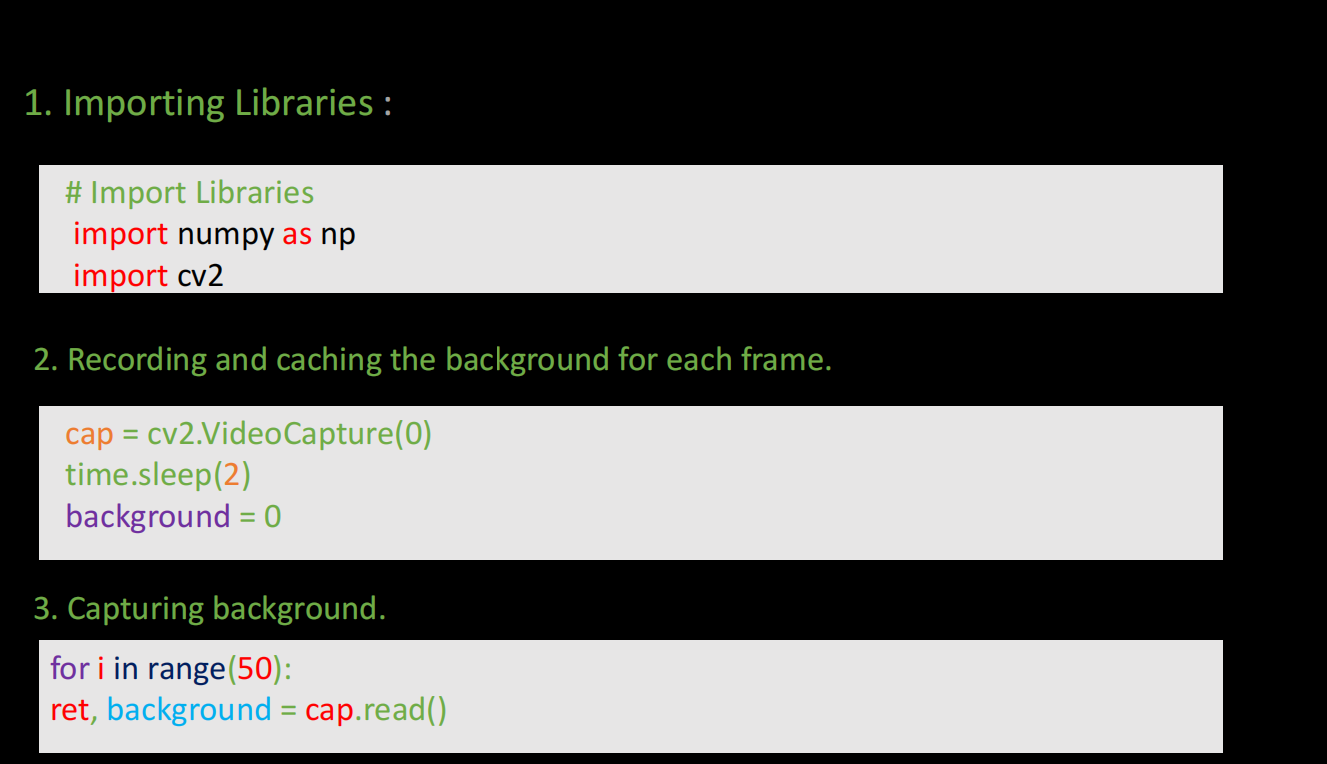
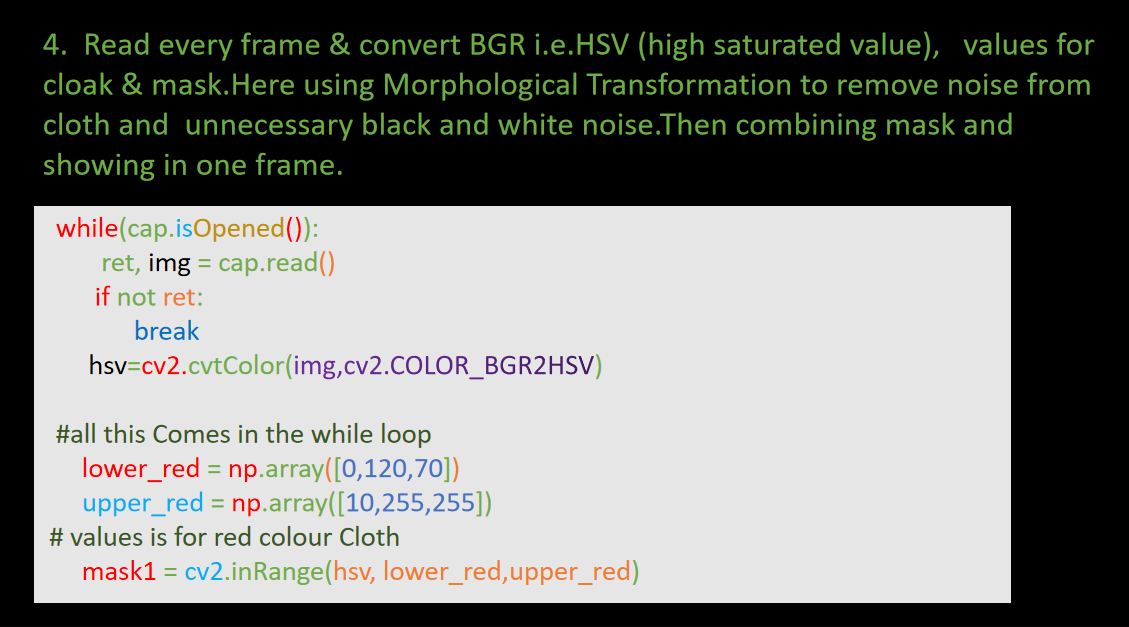
Finally we replaced the cloak region with the background delegatory. Now need such section of main frame in which the clock absent. To achieve noisefree cloak, simply transpose the mask and repeat again similar instructions...
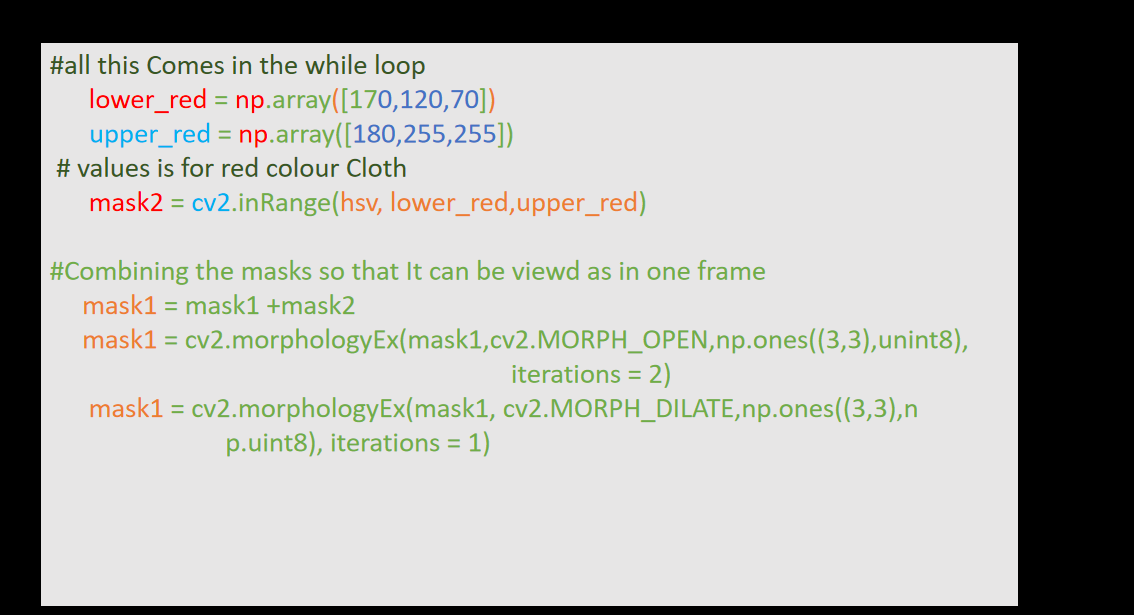
Why HSV?
HSV stands for HUE, SATURATION, and VALUE (or brightness). It is a cylindrical color space.
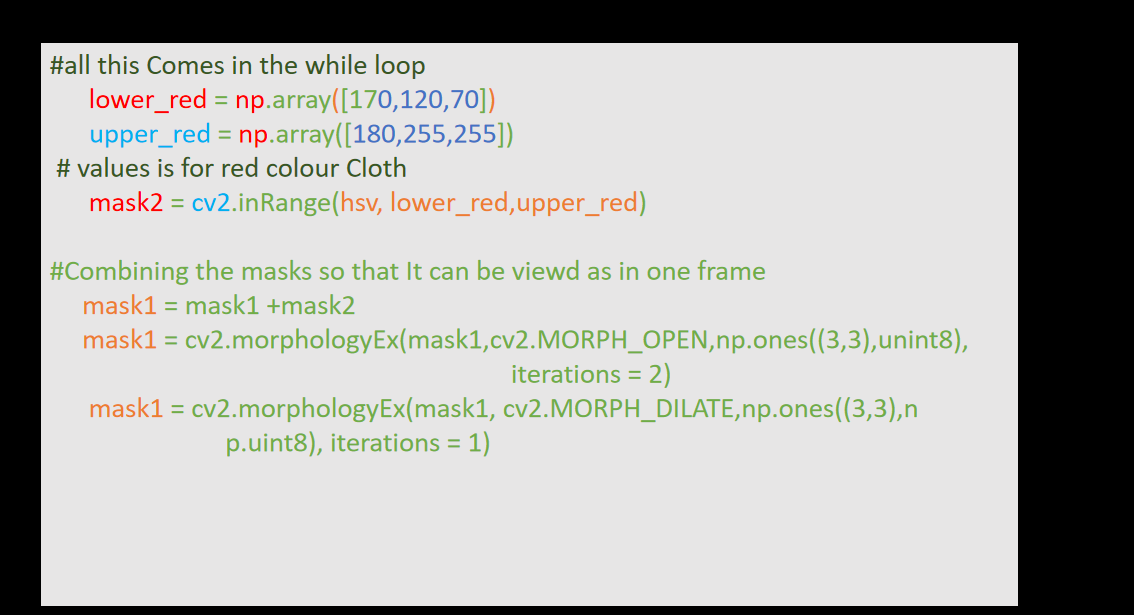
Now finally Removing unnecessary black ad white noise from mask:
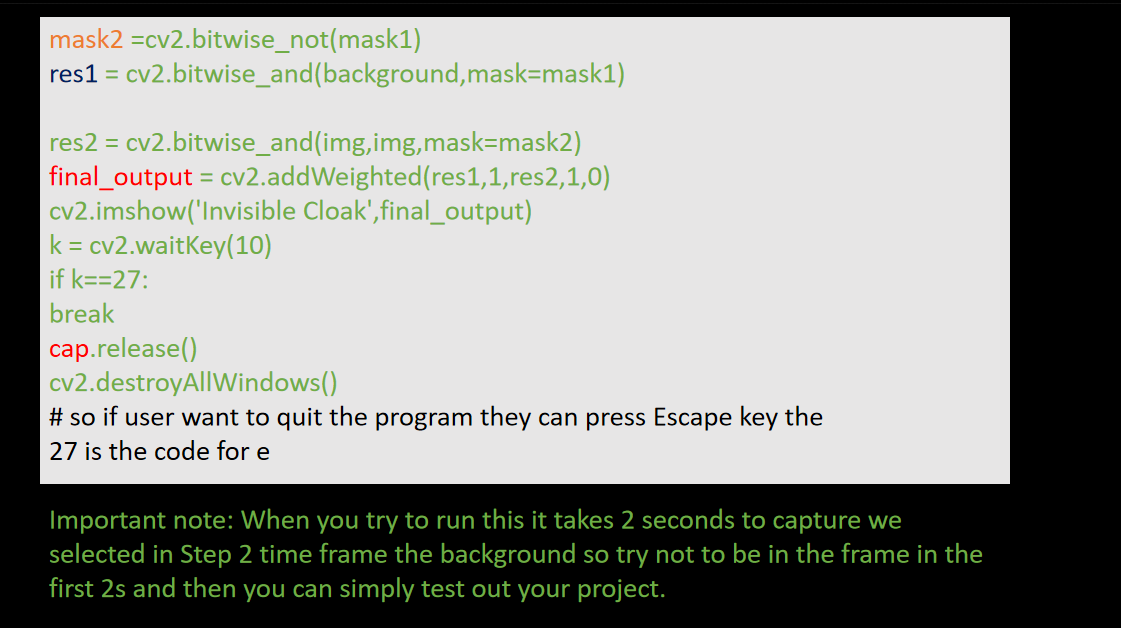
Results
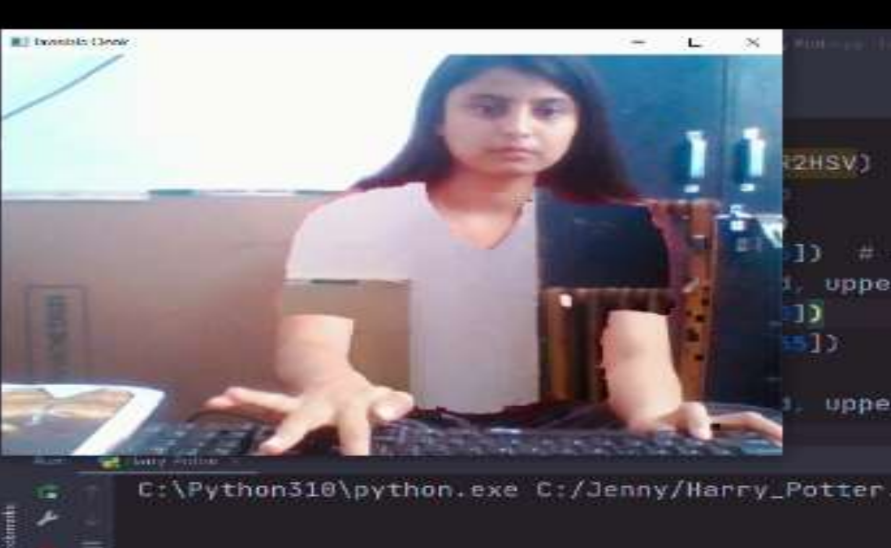
This is the output of Machine Learning Project...
Quick Start (5 Min)
- 🔴 Wear RED T-shirt
- 📦
pip install opencv-python numpy - 🖼️ Add
background.jpg - ▶️
python invisible_cloak.py - Q to quit!
Pro Tips
- 💡 Good uniform lighting
- 📏 Adjust HSV for your red shade
- 🎥 OBS Studio for recording
Conclusion and Future Scope
OpenCV is a vast field and has many practical applications available in the industry like object detection, motion detection, facial recognition, and nowadays many organizations are using the same in the name of AI and Computer Vision for developing surveillance systems to keep track of criminal activities.
Another reason for its useful its execution speed and efficiency as compared to other image processing libraries. Once you dive into it, will open the way for many innovative ideas and fun projects like you can control a racing game with gloves in your hand or else you can be invisible in your online video classrooms and many more.
People Also Search...

Deep Learning Mastery
Learn advanced Deep Learning techniques...
Watch Now →
Advanced AI Projects
Next level Computer Vision projects...
Watch Tutorial →References
2. Image Segmentation Using Color Spaces in OpenCV + Python
3. Morphological operations (Erosion Dilation morphological open)